
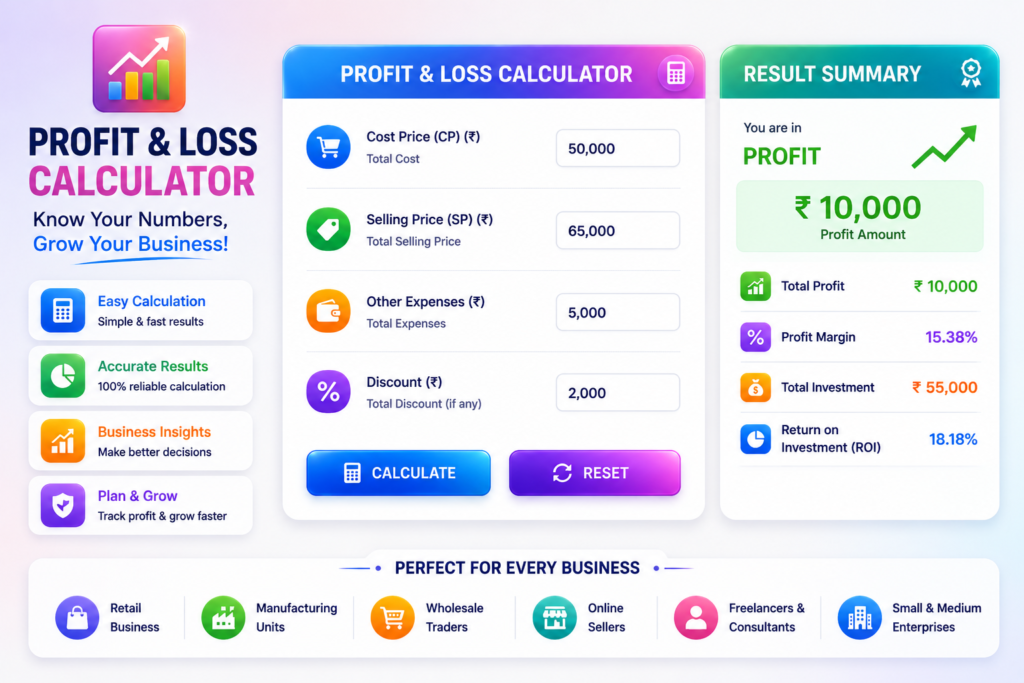
Calculate your profit or loss
Compare cost and selling price, include expenses, and see profit percentage, margin and break-even in Indian Rupees.
Thank you for reading this post, don't forget to subscribe!For a single transaction or existing total amounts, leave quantity at 1. For identical units, enter per-unit prices and the number sold. Extra expenses are a fixed total for this batch or period.
Enter cost price and selling price to calculate.
Your result
- Revenue / selling value
- Total cost / investment
- Net result
- Return on total cost
- Profit/loss margin on revenue
- Gross result before extra expenses
- Average daily result
“Net” here means after the costs you entered, not automatically after tax. Gross result assumes unit cost represents the cost of goods sold. Daily figures are averages, rounded to the nearest paisa—not forecasts.
Revenue, cost and net result
One common scale. Loss extends left of the centre line; positive amounts extend right. Exact values are provided as text.
Break-even insight
Revenue needed for this batch:
Minimum selling price for this quantity:
Unit-volume threshold:
The unit threshold assumes unchanged unit prices and fixed extra expenses. It is the minimum whole quantity to avoid a loss, so revenue at that quantity can slightly exceed the exact mathematical break-even point. For total-amount entries, the threshold refers to identical batches, not individual products.
Scenario analysis: change selling price
What if the same quantity sold for a different price? These scenarios keep unit cost, quantity and extra expenses unchanged. A 25% price increase means 25% more revenue at the same quantity—not 25% more units sold.
What is profit and loss?
Profit occurs when sales revenue exceeds total cost. Loss occurs when total cost exceeds revenue. When both are equal, the transaction breaks even. Include additional expenses to avoid overstating what you earned.
This Profit & Loss Calculator helps business owners, traders, shopkeepers, freelancers and investors evaluate a transaction or a consistent batch of sales. It calculates amounts and percentages from your inputs; it does not prepare a complete accounting statement or predict future returns.
Profit and loss formulas
Let C be cost per unit, S selling price per unit, Q quantity sold and E extra expenses for the whole batch.
- Revenue: S × Q.
- Purchase cost: C × Q.
- Total cost / investment: (C × Q) + E.
- Gross profit or loss before extra expenses: revenue − purchase cost.
- Net result: revenue − total cost. A positive result is profit; a negative result is loss.
- Profit percentage: profit ÷ total cost × 100.
- Loss percentage: loss amount ÷ total cost × 100.
- Profit/loss margin: signed net result ÷ revenue × 100.
- Break-even revenue for the current batch: total cost.
- Minimum selling price: total cost ÷ Q, rounded upward to a paisa, when Q is greater than zero.
- Break-even units: E ÷ (S − C), rounded up to a whole unit, when S exceeds C. With no positive unit contribution, positive sales cannot recover fixed expenses.
- Average daily result: net result ÷ days covered, only when you provide the period.
When the denominator is zero, the related percentage is not applicable. Amounts are calculated in integer paise to avoid floating-point currency errors. Input precision is limited to two decimal places; percentage displays are rounded to two decimals, with very small nonzero rates described explicitly.
How to use this calculator
- Enter the cost price and selling price. Keep quantity at 1 for a single item or total amounts.
- For multiple identical items, enter per-unit prices and whole units sold.
- Add batch expenses such as delivery or overhead that are not already in unit cost. Do not count the same cost twice.
- Optionally enter the actual number of days covered for a daily average.
- Select Calculate or press Enter. Once the required inputs are valid, results and price scenarios also update as you edit.
- Compare profit/loss, return on cost and margin. Copy, share, download or print the current result. Reset starts a new calculation.
For GST-registered businesses, use consistent tax-inclusive or tax-exclusive figures as appropriate to your records. This tool does not determine tax liability or input tax credits. Use the GST calculator for separate arithmetic.
Worked examples in Indian Rupees
Profit on a single sale
Cost ₹1,000, selling price ₹1,500, expenses ₹100 and quantity 1 give total cost ₹1,100 and profit ₹400. Profit on cost is 36.36%, while margin is 26.67%. The same quantity breaks even at a selling price of ₹1,100.
Loss after expenses
Cost ₹1,000, selling price ₹900 and expenses ₹100 give a ₹200 loss. Loss on cost is 18.18%; the signed margin is −22.22%. Calling both ratios “profit percentage” would obscure the loss.
Break-even for a batch
At unit cost ₹100, selling price ₹150 and fixed batch expenses ₹500, each unit contributes ₹50. Selling 10 units produces revenue ₹1,500 and total cost ₹1,500: exact break-even. At 20 units, revenue is ₹3,000 and net profit ₹500.
Profit percentage, loss percentage and margin
Return on cost measures the result relative to the amount spent. Margin measures it relative to sales revenue. For a ₹100 cost and ₹150 sale with no extra expense, profit is ₹50, profit on cost is 50% and margin is 33.33%. They describe the same transaction using different bases.
A negative margin indicates a loss. A zero-cost transaction can have a calculable profit amount and margin, but its return-on-cost percentage is undefined. With no revenue, margin is undefined even when a loss amount can be calculated. Compare businesses only after considering differences in their costs and industry.
Benefits of checking profitability
Separating purchase cost, additional expenses and sales makes pricing decisions easier to review. A visible breakdown helps identify omitted expenses, compare prices and understand how much a discount reduces earnings. The calculator supports quick checks on mobile and desktop, with exact text values alongside every chart.
Common business uses and limitations
Retailers, wholesalers, online sellers, manufacturers and freelancers can use the tool for product or project pricing. Investors can use quantity 1 and enter total purchase and sale amounts plus fees for a simple realised transaction check. This is not an annualised investment-return calculator.
Scenario analysis is a sensitivity check, not a demand forecast: raising prices may change sales volume in practice. Unit break-even assumes one product, constant unit costs and fixed extra expenses. Mixed products, changing costs, interest and taxes require additional modelling.
Frequently asked questions
What is profit?
Profit is the amount by which revenue exceeds the costs included in the calculation. This tool shows the result both before and after the extra expenses entered.
What is loss?
Loss is the amount by which total cost exceeds revenue. The loss amount and loss percentage are displayed as positive magnitudes; margin keeps its negative sign.
Why calculate profit margin?
Margin shows how much of each rupee of sales remains after the entered costs. It helps compare pricing alternatives without confusing sales volume with profitability.
Can I enter zero cost, zero sales or zero quantity?
Yes. Zero quantity gives no purchase cost or revenue, but fixed extra expenses still apply. Zero bases make the related ratios not applicable. Zero price cannot recover positive costs by increasing sales.
Does this calculate net profit after tax?
Only if every relevant cost is included consistently. Taxes, financing costs and other expenses are not added automatically. The result is an estimate based on the information entered.
Why is break-even in units sometimes unavailable?
If the selling price does not exceed unit cost, additional units cannot recover positive fixed expenses. If price equals cost and there are no fixed expenses, every quantity breaks even. Quantity zero also prevents a current-batch per-unit price calculation.
Can I find a selling price from a desired profit?
For quantity 1, add your desired profit amount to total cost. For a target margin below 100%, required revenue = total cost ÷ (1 − margin as a decimal). Margin and markup are different; do not add a margin percentage directly to cost.
Related calculators and references
- Percentage Calculator PRO
- Salary Calculator India
- Compound Interest Calculator PRO
- CAGR Calculator
- Investment Calculators
- Browse all calculator categories
Further reading: Profit Margin Guide and the SEC guide to financial statements.